
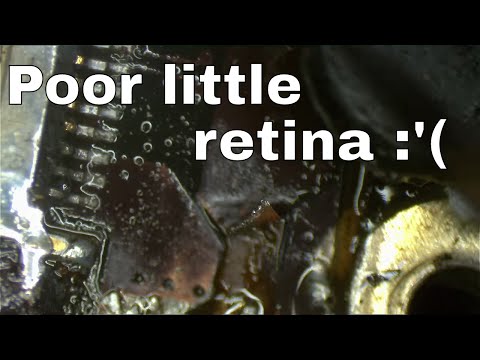
Macbook Pro Retina gets sodomized; let's shed a tear for poor little L9000 :(
Video by Louis Rossmann · 2 moments used in Oak Valley Designs's DIY guides · 52:36 long
Moments in this video
- 2:30–4:00 Repair or Replace Faulty Wiring/Components
From How to Fix Flickering LED Stair Lights, Step 4: Inspect Wiring Connections
Always ensure the power is OFF. If a loose connection was found, tighten it securely. If a wire was open or corroded, carefully remove the damaged section and replace it with a new wire of the same gauge and type, ensuring proper insulation. Use appropriate wire connectors (e.g., wire nuts, crimp connectors) for secure and insulated joints. If a component (like a lamp holder or an integrated LED driver) showed high resistance or an open circuit, it likely needs replacement. When replacing components, ensure they are rated for the correct voltage and wattage. After making any repairs or replacements, ensure all connections are tight and well-insulated. *Warning*: Always double-check your work for exposed wires or loose connections before restoring power. Using heat shrink tubing can provide excellent insulation for splices.
- 2:30–4:00 Repair or Replace Faulty Wiring/Components
From How to Fix Flickering LED Stair Lights, Step 5: Replace Faulty Component
Always ensure the power is OFF. If a loose connection was found, tighten it securely. If a wire was open or corroded, carefully remove the damaged section and replace it with a new wire of the same gauge and type, ensuring proper insulation. Use appropriate wire connectors (e.g., wire nuts, crimp connectors) for secure and insulated joints. If a component (like a lamp holder or an integrated LED driver) showed high resistance or an open circuit, it likely needs replacement. When replacing components, ensure they are rated for the correct voltage and wattage. After making any repairs or replacements, ensure all connections are tight and well-insulated. *Warning*: Always double-check your work for exposed wires or loose connections before restoring power. Using heat shrink tubing can provide excellent insulation for splices.
The guide that use this video
Transcript
0:01 all right so today we're going to be going over an 820 3332 board that has some liquid damage among some other things so we're just going to go over this board in the microscope and just take a look at it because before we open the schematic of the board view will really try to get an idea of how to approach the board it's good to actually see what the damage on the device looks like so let me just set the exposure level of the camera here and we're just going to browse around this board and see what we get so right now it's not turning on it is giving me a light on the charger so if I do plug in the charger here you'll notice that I do get a light on it and it's going to be difficult to see that light with the microscope camera light on but if I do this you can clearly tell it is able to get a light so if we go through it there are some signs of liquid damage now over here this is liquid damage right by this
0:48 is I believe just to shut off shut off the GPU in case it gets too hot some GPU temperature sensing over here this is power supply for the GPU itself you can see that there is some minor corrosion in the area right around the the points where you see red so over here you're going to that's that's not the greatest but nothing here is actually corroded this resistor is not blown you're going to see some stuff over here and all of this is is not big stuff it's not good but it's it's it's minor stuff nothing that's really going to cause any type of catastrophic failure but we're just going to take notes of each one of those regions and as we go down the board you'll see that there's also junk around here that's for thunder bolt n you're going to see some junk around here this
1:33 is for audio that's for audio this is for sleep that is the Sleep sensor on the motherboard the 820 2855 this is going to be for audio and this is also more for audio I believe either a speaker a headphone amp and then we go down here and you'll see that the ISL 6259 has some Crut around it which is going to be one of the most important areas pertaining to us if we're dealing with a no power problem so the first thing I like to do as I've said in some other videos is we don't want to just dump put in the Ultrasonic Cleaner immediately cuz there could be a solder joint here that's just barely being held on so what I would prefer to do is just give each area a slight Reflow with some flux and some hot air cuz what this is going to do is if there is some solder Point that's just joint that's just barely holding on and
2:18 corroded we're going to give it a chance to Reflow back in a place before we put it in the Ultrasonic Cleaner cuz what the Ultrasonic Cleaner is going to do is it's just going to knock knock everything all right off it's going to do its job and clean and if the corrosion is mixed in with the broken solder joint then that's all going to wind up in the bottom of my Ultrasonic Cleaner so what we're going to do here is just a little bit minor reflow in these areas and we're just going to take note of the pieces that don't look as good as they should and we might as well replace those as we're going cuz what happens if if you replace them as you're going kind of makes it easier for later the more you get done at once it's very similar to what recording Engineers would do where now there's this one school of
3:04 thought where you need to get as many microphones and as many channels and as many things as possible and don't process anything while you're recording and then you'll you'll meet some of the older people who've been involved in recording for a really long time and they they they they make choices as they go what they'll do is instead of recording you know 60 different channels of [ __ ] not do any processing they do most of their processing what I noticed they do most of their processing as they're recording they make decisions as they're recording and that doesn't allow them to make a lot of changes later but what it does is when the recording is done they put the faders in the console up to zero and they have something that sounds 99% like a finished recording which is which is pretty admirable it's what that's what you should be shooting for
3:50 and I try to take that same concept that I learned from when I was younger in an entirely different industry and I try to apply it to what I'm doing over here so you know I mean yeah you could solve each individual thing and give it its own individual time but why not again I'm going to get rid of some of the corroded nasty stuff I'm going to do my Reflow but while I'm doing it I might as well just replace some of the things that look screwed up along the way you'll just save me a little bit of time down the line and it allows me to not have to open a schematic until later cuz keep in mind you know it's not that I want you know everybody wants to feel like I'm opening a schematic and I'm solving a difficult problem and one of the things things that that I find particularly helpful is when I don't have to open a schematic because it allows me to conserve my brain the more
4:36 of my brain I conserve the more brain power I will have left for later on a board that actually demands my brain power so just going to go over some of those rotten nasty pads over here so what I'm looking to do is if there is any break in the pad or break in the break in that probe Point what I I'm just going to scratch off the oxidation see I'm going to keep scratching it scratch scratch scratch and do this so that doesn't have a chance to become oxidized or break away later there we go now I'm just going to reconnect my component over there that's why I threw away a capacitor that looked really nasty and we're just going to replace that with a capacitor that doesn't look really nasty we're just going to heat up the
5:22 board over here and let's steal you right off there we go and place you right there now that's not placed perfectly but I still have another capacitor that I just knocked off in that same general area that I have to put back which means I have to go over that area with hot air anyway so I'll get that in the meantime that's going to that's going to get done just fine so okay we're going to just move like this right over to the area and I'll zoom out a little to show you what I mean you're going to notice that as I'm flowing this capacitor into place that the one over there that's uted on lopsided is going to just nicely fit
6:10 itself so I put my flux there and I'm going to yaw my iron like this not move it I'm yawing it so that I'm getting both at the same time so you see what I did there see I I'm heating both at the same time trying to be as efficient as I can that's why I use the hot air station in my primary hand and my tweezers in my secondary hand the reasoning behind that is very simple it's that I want is that I want the hot air at a point in an area in which it will serve me and flow everything the exact way that I want it to get flown it's very very important for the hot air to be exactly where I want it to be it's not even about moving it I can literally just yaw it like this and it will change so much
6:55 of how everything winds up working out so we're just going to continue this trend and we're going to go over each area of the board we're going to go over the top area up here which has seen better days and we're just going to wash all that nasty corrosion away some nice amtech NC 559 flux and this looks like a lot of flux but when you're at it's that it's one of those things where when you're in a microscope at 10 or 20 or 30X it looks like a lot but when you're actually in front of the board it's not as much not nearly as much we're just going to go over each one of these areas over here and also note I'm making a mental note of the areas in which I'm cleaning so that if something is dead or doesn't work I can always go back to those areas and know where it is I should look to start solving the
7:55 space oh we're just going to go over all this stuff oh this does not look very nice see this that looks like a point that used to conduct that doesn't anymore so I'm going to make a mental note of that because that doesn't look very nice and we may come back to that later we may not depending on whether it's relevant to what's going on let's just continue along the edge here this is most likely not going to be relevant to it not turning on this is going to be a sensor area and again if something looks particularly disgusting there's really no reason to leave it on the board particularly while we're in the cleaning stages so we might as well just take the time right now to replace these things so they don't bite Us in the ass at a later date so we're just going to take that
8:42 resistor and tell that resistor that it can find find a home on another board ah that may be a little bit of a pain since it seems to have welded its way onto the pad it's a good thing we caught that before the cleaning process see the cleaning process may have hidden this cleaning process may have actually hidden our ability to find that because the corrosion that led us to that area would have been far away so this is one of the reasons I really do like going over them beforehand and it's one of the reasons that I think that if you are doing this for your own customers that it's best if you Market your service to residential customers rather than other stores and
9:30 business clients because the issue you're going to find if you Market this service to business clients is that they're going to be cleaning the boards before sending them to you so you're going to be missing out on a lot of hints and it's going to lower the likelihood that they are fixable cuz this is the only hint that you get and it's a really important and Powerful set of hints and I would say 99% of the businesses that do stuff like this are not going to point out the exact corrosion now I'm not going to say that this tells me whether or not the board is going to be fixable cuz that's a common misconception that I'll notice is that people will think okay let me send him a picture of what was corroded so he can give me an idea of how long it will take or if it's fixable and I can't say whether it's going to be fixable nobody can say that because you never know how
10:16 much damage there is you never know where the the areas could have been affected by the corrosion in that area it's just it's impossible to say but what I can say is that it does make the process easier and it will make figuring out what's going on just a little bit bit easier if you know where the original corrosion was now one issue here is with the size of that ship that it kind of makes it difficult to get my hot air station in there where I want and I could turn the board around but if I do that it'll bump into the keyboard on my desk and my air filter which is about to knock over my monitor due to crappy planning of how I arrange everything so I'm just trying to flow it in a place from the angle that I'm at let's see if I can do it come on good resistor all right so now let's go over
11:03 some of the other areas of this board that that look like they've seen better days so we're just going to oh my oh boy oh boy oh boy that's a lot of corrosion over here lots of corrosion everywhere so that's fine that's what we have a lot of flux and hot air for we always have more flux and hot air than the board has corrosion trust that so over the entire section especially this you really don't want to wash away the balls underneath the speaker I see or the headphone amp I see that would be no good so we're just going to go over this go over this go over this and we're going to hit up these
11:49 areas and do our best to get rid of some of this corrosion you know the one thing I would have to give microscope scope.com credit for cuz I've said a lot of bad about them is they have this uh this 1080p camera that allows 60 frames per second over HDMI it's much better than all those USB ones because the USB 2 ones I mean I don't care how many megapixel do it is when the image quality is junk and they're working at like 10 frames a second I mean it's totally worthless for what we're doing and amscope actually linked me to one they said oh we would recommend you try this one that we from us it's 1,200 bucks $1,200 for the ex and it's literally the exact same specs as the camera that I have here it's not like you know it's 1080p 60 frames per second HDMI sensor is almost the same
12:36 size I mean it's pretty same form factor same everything it's twice as much money my gez CU I wanted to actually start linking people to that thing and but oh wow I linked somebody today to the camera from microscope. comom and anybody who watches this channel regularly who follows it oh my you know what I think of microscope. comom microscope. comom wasted so much in my time they said that I scratched the number 13 into the oculars and that it was true because I'm not kidding a pastor was the one who said it like that was the defense it wasn't like their their their defense of that that silly claim was oh you're not going to say a pastor was lying would you no cuz pastors you know pastors and
13:22 Priests have never lied before about anything they lie about they'll lie about touching kids but oh why would they lie about what I put into a camera nah that's and that's one of the things that I I've said you know I didn't want to say this out loud because it would have hurt my argument since I had filed the charge back with them but if I were to scratch something into a microscope to make up for um for for how you were dealing with me I would I would have I would have scratched [ __ ] you not the number 13 definitely not that that it's not something I would do it's not something I feel I have the time for but if I would have scratch anything into that camera lens I would have scratched the words [ __ ] you not I would have definitely not scratched the number 13
14:07 cuz the number 13 really has no meaning I mean why would I do that the number 13 it doesn't send a message it doesn't really get if I'm going to scratch something and I'm going to send the message that I feel entitled to scratching and destroying your product I would scratch this [ __ ] you and this all came about because I had some uh some video content showing how those microscopes work cuz I wanted to get another microscope for the teaching station here right I wanted to get another microscope for the teaching station so I figure this will be a instead of me getting a new microscope for the teaching station what if I just got myself a better microscope for me cuz it doesn't make sense for me to get a brand new beautiful microscope for a student or secondary workstation so what
14:55 I thought I so I thought I might as well give the student my microscope up and get a cooler one but that's a really dumb thing to do and the reason that that's a dumb thing to do is cuz you know why why should they get the best thing so I thought I would get a nicer thing for me I would get myself a nicer toy and the big problem there is that the microscope that they wound up sending me was worse than the one that I had it didn't have you know I I asked for a microscope like the one I had but better they sent me one where I I I can't even see through both eyes you can only see through one if you're recording through the camera they said oh well we can get you an even better one than that and the one that was even better than that was literally worse in image quality than this one and only one side of the screen would even be in focus at a time so I'm just like man what's up with that like oh oh we guess nothing will make you
15:41 happy send it back and we'll s you a restocking fee on both it's kind of lame when you spend like 1,800 bucks on a microscope and it's worse than the $300 one that you already have oh it's just oh man that stuff just they actually did reach out to me this said oh that we have a new owner now is there anything we can do I'm sorry for your experience and oh it's kind of like water under the bridge you know I mean i' I moved on you know I I have videos endorsing the M scope microscope uh which I think is a good microscope they seem like nice people I don't have a need to buy another microscope I'm pretty much set on microscopes at the moment I could probably use one more so I could have my mine a student workstation and then
16:26 mother and then also one for um from for the an employee here so you know I could use probably another one but I'm not in a rush to spend any money on anything I'm not particularly uh one of those people that likes to spend money on things so it'll probably be a while before I spend on anything again it's kind of water under the bridge you know not really much to you know all is said all is done I I told you that we bought you know over 10 of these things for for iPad rehab I fix it bought these things countless students not even the ones that I linked to I mean literally people who just had brought their laptop to class and logged on a microscope.
17:12 comom right in front of me I saw them check out and spend six 800,00 bucks all these people spent I'm not asking for anything special I just want something that works can you no restocking fee n we're not going to even refund you because we're going to claim that you that that you scratched number into the oculars it's like that's the thing you kind of already showed me who you are you know and and the guy you know he he says he bought the company seems nice enough it's just again it's you know old experience old experience water under the bridge I mean I I I see how you'd want to like do something about it because the person who's saying this stuff about your microscopes say two almost 200,000
17:57 subscribers on a popular social media platform but I don't know I mean why not just care about customers because they've made you $10,000 rather than caring about customers because they have once you find out they have 200,000 subscribers in a social media platform you feel looked and you had seen huh you know H he's being a little picky about it and I guess that is out of focus and it sucks but so I see where he's coming from I don't want to deal with it but he he spent 10 you know he's these guys they spend him like 10,000 bucks here let's
18:44 cut him a break again if you did that maybe like I I feel like you should do that regardless of them the kind of I guess marketing reach that the individual has so much garbage this board is so disgusting ah this is all part of the job we're going to make this look nice
19:30 and clean and beautiful again make motherboards great again we're going to make motherboards great again for 2016 so much junk on this board all right so let's start our picking and let's start picking components jeez the air has turned up to 96% why it's blowing back at my finger and burning me that's a little bit a little
20:24 much these boards just love absorbing Heat place that we'll flow in a place shortly got to replace some stuff under it anyway
21:19 it's great how the components love to fly off the tweezers when I'm trying to place them down but they refuse to come off the tweezer like look at this look at this you know you see how easy it is for the component to just fly away right like when I don't want it to fly away but look at this look at this it's still there like how much force and effort do I have to put in to get rid of a component when I want it to go away I had to get up twice already to pick up to get a component to replace a component that fell off the tweezer but oh you got so frustrating sometimes but that is the way the world works oh we're just going my little micro pencil add some nice fresh flux and
22:06 we're going to replace all these little pieces that got owned now I know why I had the air so high these boys just laugh at
22:52 heat I understand why the 15inch ones would laugh at heat a little bit more
Automatically transcribed from the source video.
More from the Oak Valley Designs DIY Hub
Read the guide Browse all guides
Planning this project? Shop Oak Valley Designs.

Subscribe for exclusive updates
Be the first to know about promotions, new products, and sales.